Peakto is not sorting images properly
It appears that Peakto is not sorting images properly. I am working with a folder of images on my hard drive. I have set them to sort by capture date. Peakto is not sorting them by capture date, it appears to be sorting them somewhat randomly.
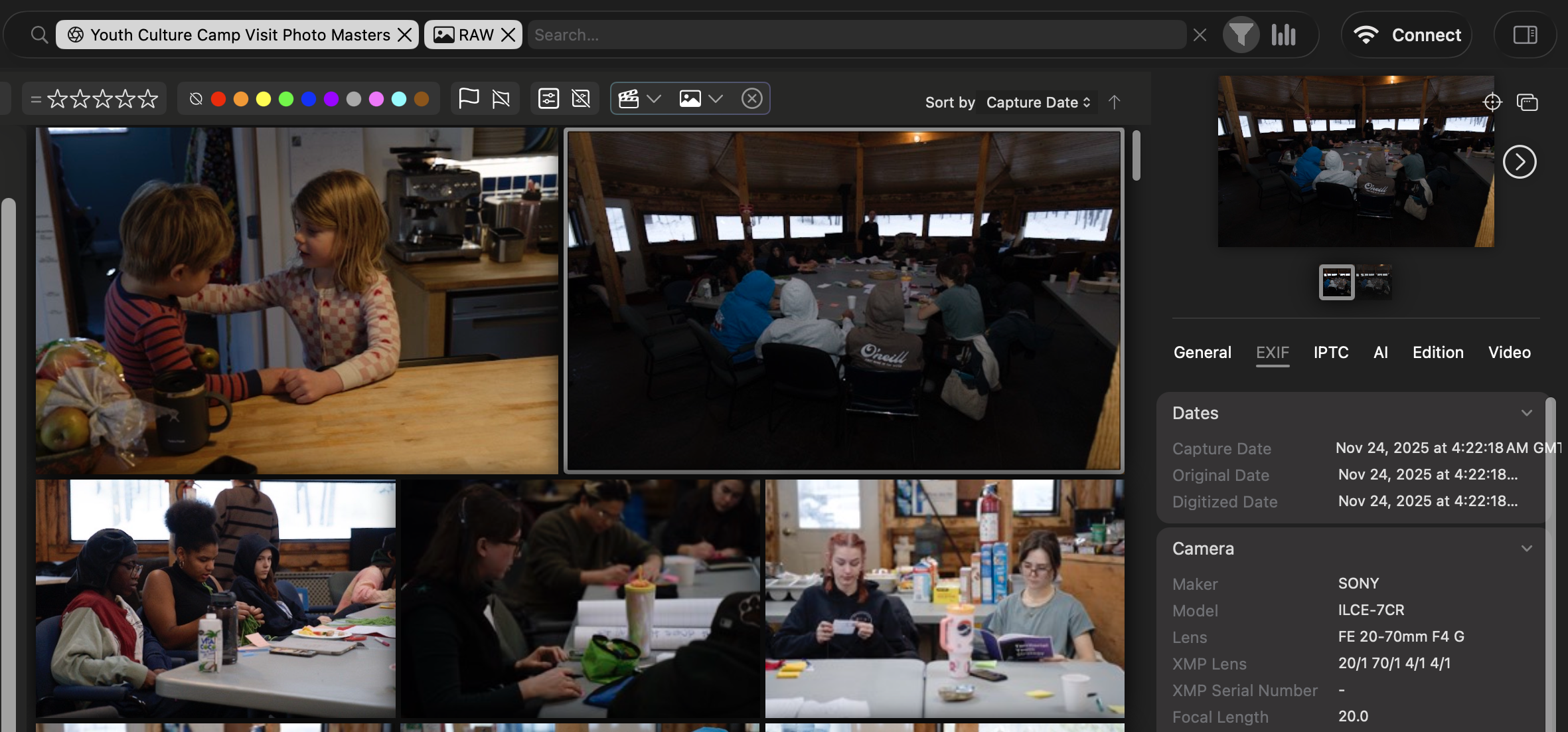 The Peakto sort by capture date
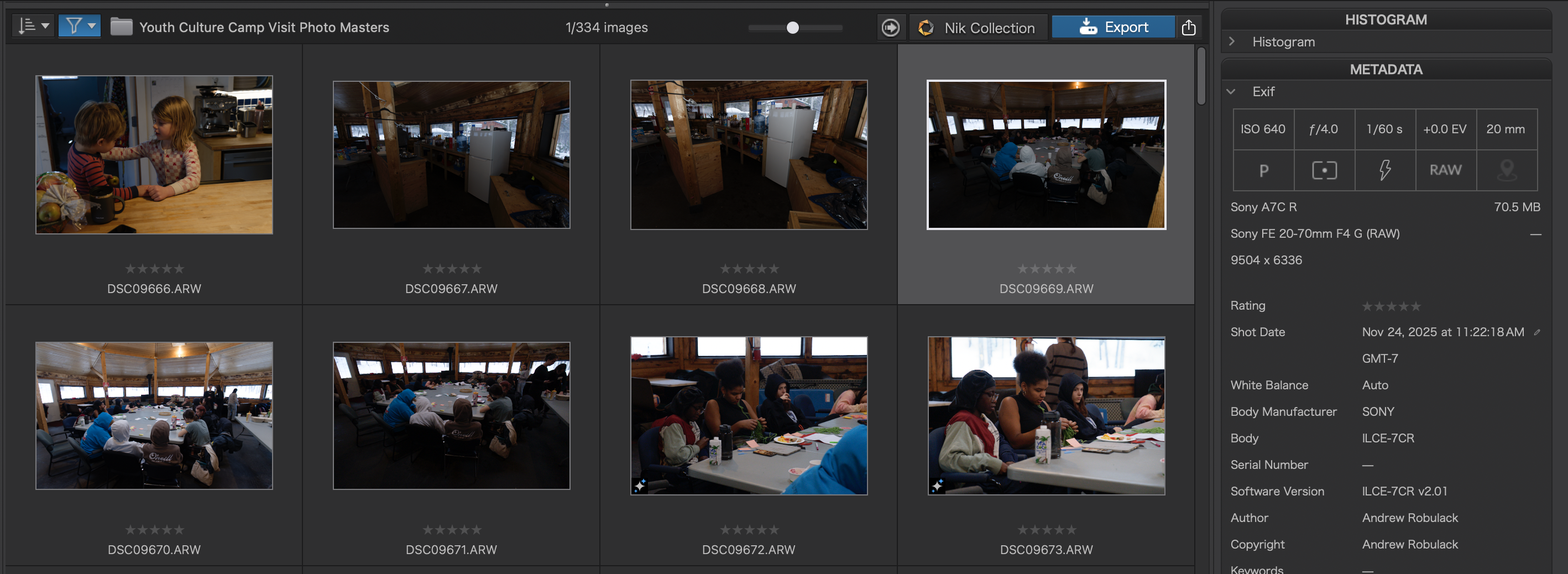
To demonstrate here's a screen shot of the same folder of images in DxO PhotoLab 9:
And in Mylio:
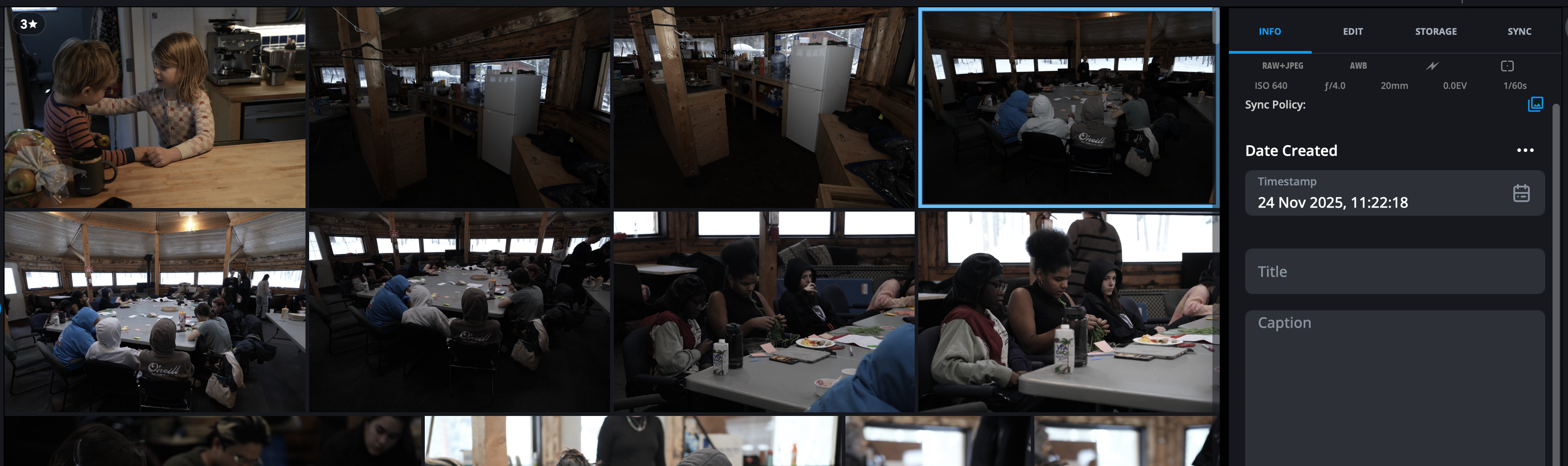
I've highlighted the same images in both DxO and Mylio, and note that both show them at their correct time of 11:22 AM. Also note the fridge images, which appear in the correct capture date sort order in DxO and Mylio, but which are absent in Peakto. (They appear much later in the sort order in Peakto, completely out of order.)
I'd chalk the time difference up to different displays of time zones, but Peakto indicates all times as GMT, but images that were literally taken within seconds of one another are alternately displayed as 11 AM and 4 AM, and it says one was 11 AM GMT, and the next is 4 AM GMT, so somewhere in there Peakto is mixing up GMT with my local time zone.
But that doesn't explain why Peakto's display is so random for capture date sorting - it's not just the time zone display, it does appear to be absolutely random sorting, whereas in other apps the capture by sorting works fine when viewing this folder.
Does anyone have any insight into why Peakto might not be sorting a folder of images by capture date properly?